

What is this feature?
Forking a chat in Playlab allows you to create a new conversation branch from any specific point in an existing conversation. This means you’re able to continue a conversation from a certain point while preserving the original conversation flow. This feature is particularly useful for exploring different ideas, testing various prompts, or organizing complex discussions with the current context being kept while building and testing your apps in Playlab.Watch How to Fork Conversations
Why Use Conversation Forking
1
Focus on specific topics
Zero in on a specific topic or idea without interrupting the main conversation flow, allowing for more targeted exploration.
2
Test multiple scenarios
Create parallel conversation branches to test different scenarios or prompts from the same starting point.
3
Organize complex discussions
Keep your thoughts and discussions organized by separating different conversation threads, especially useful for long or complex topics.
4
Preserve original context
Maintain the full context from your original conversation while exploring new directions without starting over.
How to fork a conversation
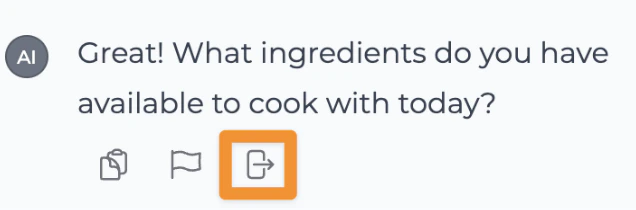
Why would I want to fork a conversation?
Exploring Different Scenarios
As a creator, I might want to fork a conversation to try out different things to see how different inputs impact the AI outputs.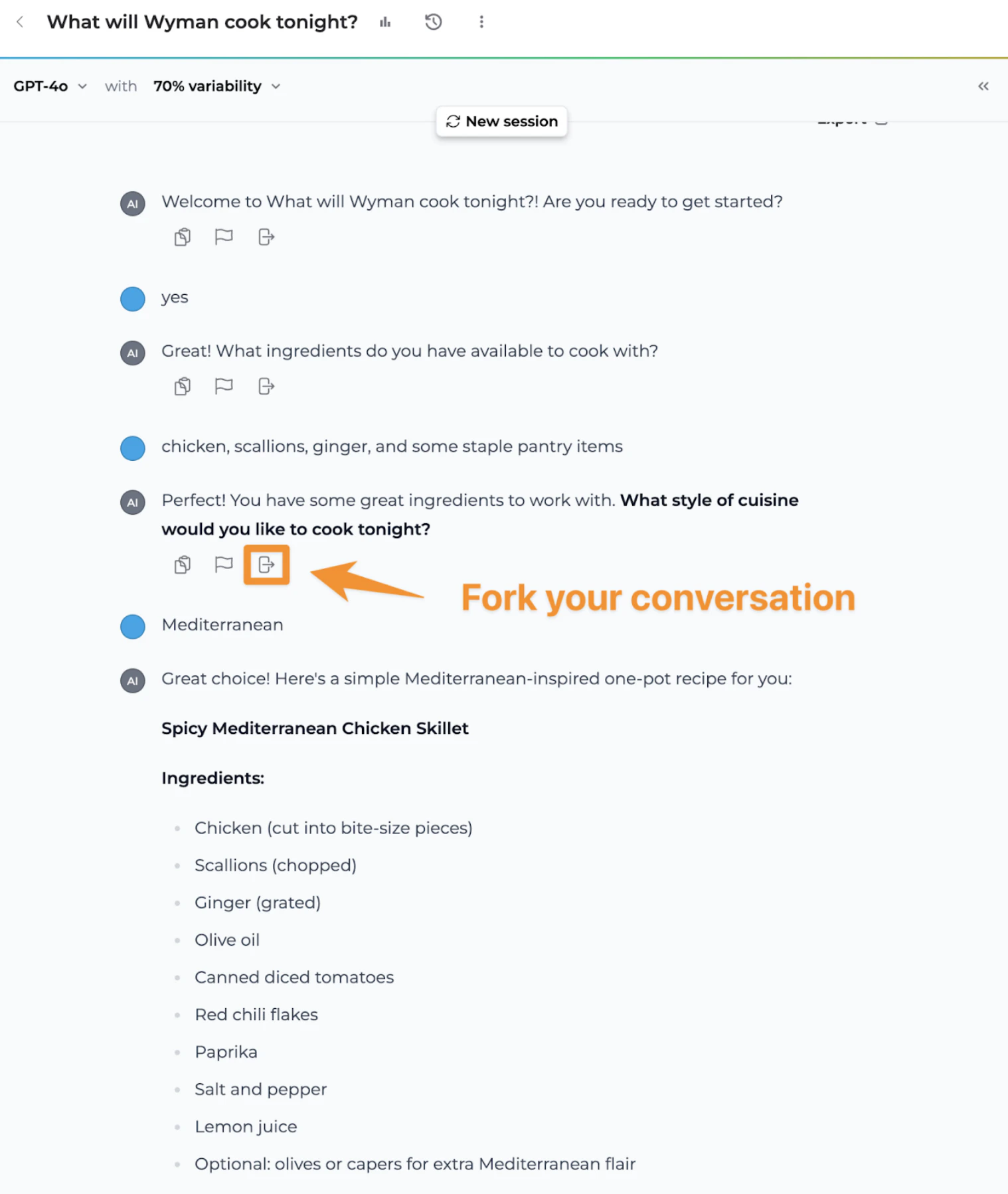
- In this example, I’m generating recipes to cook for tonight with different ingredients.
- If I fork the conversation from the given point in the conversation, I can test out what type of recipes it might generate if I entered a different type of cuisine.
Starting from a Relevant Point
Forking conversations allows me to restart my conversation from the part of the conversation that is most helpful to me without having to start from the beginning.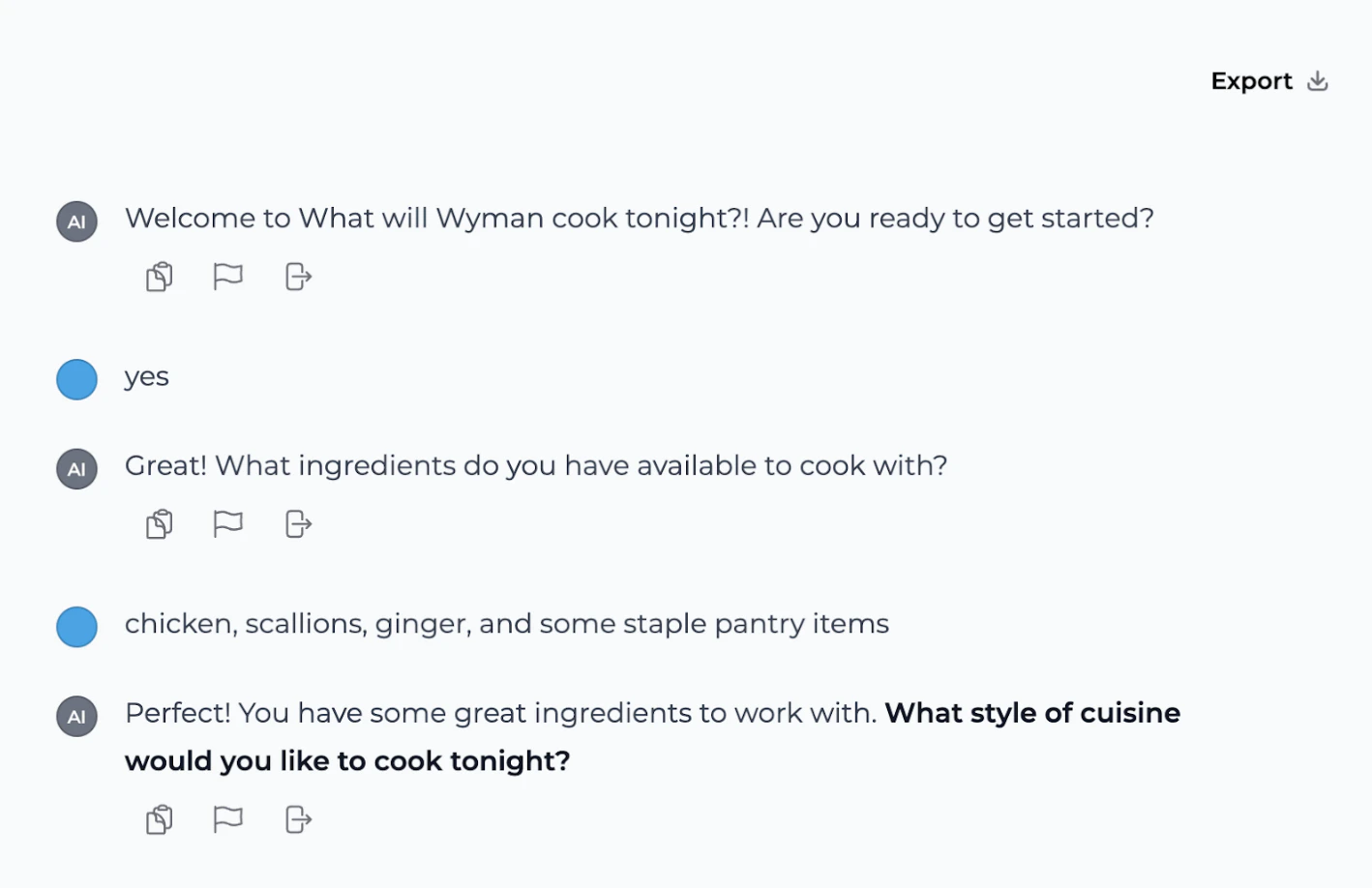
Tips for Using Conversation Forks
Best Practices
- More efficient testing: Forking conversations allows more efficient testing by modifying inputs to see how they affect AI outputs.
- Develop user scenarios: Develop and test different user scenarios from a common starting point using forks for each persona or use case.
- Debug AI behaviors: Debug unexpected AI behaviors by replaying and tweaking scenarios from a forked point.
- Comparative analysis: Perform comparative analysis of conversational strategies by forking and comparing different approaches.
- Enhance development efficiency: Enhance efficiency in iterative development by avoiding redundancy and speeding up the development cycle through forking.
FAQ
Can I fork a conversation in user mode?
Can I fork a conversation in user mode?
No, you can only fork a conversation in the builder mode of Playlab.
Will forking delete my original conversation?
Will forking delete my original conversation?
No, forking creates a new branch while preserving your original conversation intact.
How many forks can I create from a single conversation?
How many forks can I create from a single conversation?
There is no limit to the number of forks you can create from a single conversation point.
Can I merge forked conversations back together?
Can I merge forked conversations back together?
Currently, there is no feature to merge forked conversations back into the original conversation.
We Want Your Feedback!
Have you tried forking conversations in Playlab? We’d love to hear about your experience!Contact us at support@playlab.ai
Last updated: 04-27-2025